
Submit Your Location
A guide for retailers to submit their business location to a brand's store locator map through the wholesale portal.
If you purchase products from a brand through their wholesale portal, you can add your business to their public store locator map. A store locator is a map on the brand's website that helps customers find nearby stores that carry the brand's products. Once listed, customers searching for the brand's products in your area will find your store, see your hours and contact info, and get directions.
Why Get Listed?#
Visibility — Appear on the brand's website when customers search for products near you
Free marketing — Drive foot traffic to your store without any advertising cost
Customer convenience — Shoppers see your hours, phone number, and directions directly on the map
Credibility — Show up as an authorized retailer of the brand's products
Before You Start#
Before submitting your location, make sure:
You are logged in to the brand's wholesale portal — the submission form only appears for logged-in wholesale customers
Your business has a Google Business Profile — your business must appear on Google Maps so the system can pull your name, address, hours, and phone number
Don't have a Google Business Profile? Create one for free at business.google.com. Note that verification can take several days, so set this up before attempting to submit your location.
How to Submit Your Location#
Log in to the brand's wholesale portal
Scroll to the Submit Your Location section
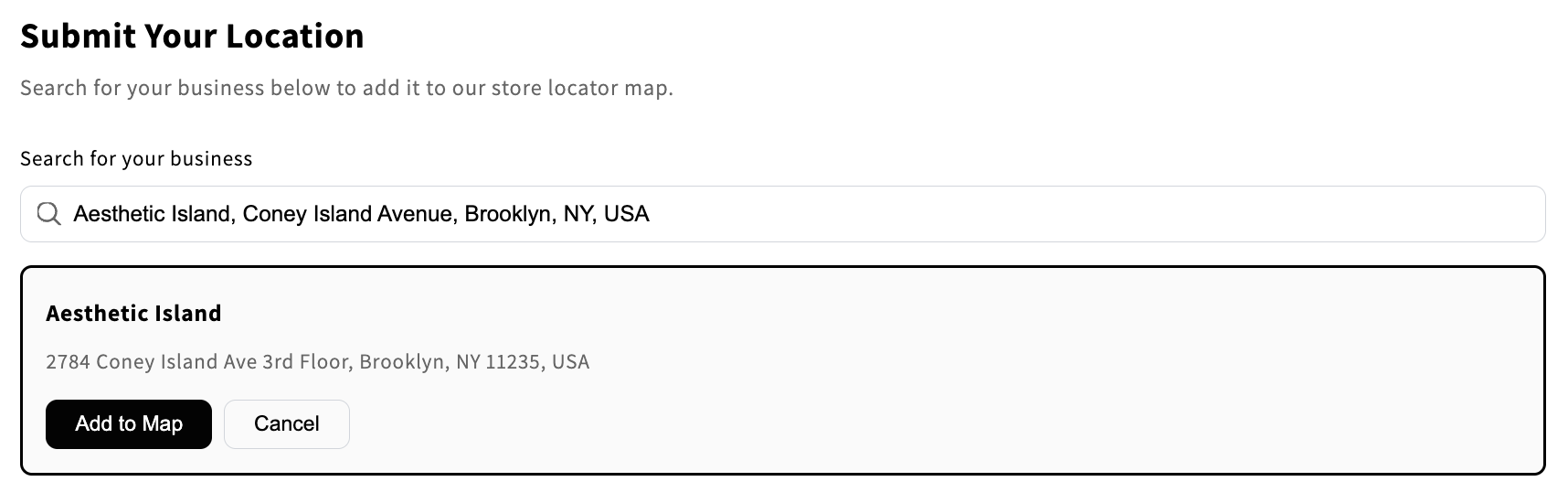
Search for your business by typing your business name or address into the search field
Select your business from the dropdown results — a confirmation card will appear showing your business name, address, phone number, and hours pulled from your Google Business Profile
Review the details on the confirmation card to make sure everything looks correct
Click Add to Map
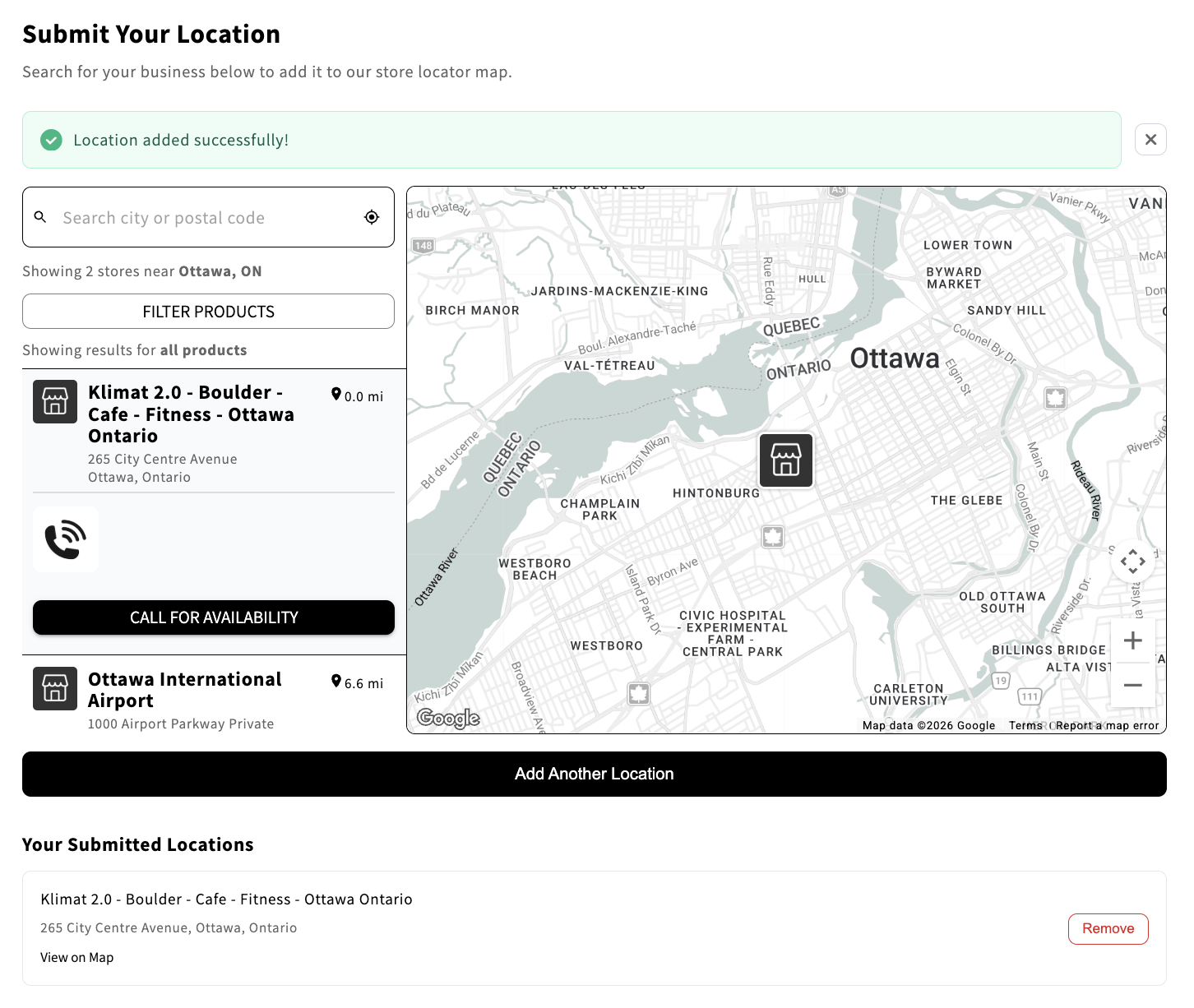
You will see a success message and a map preview showing your location — your business is now live on the store locator
Understanding "Call for Availability"#
After submitting, you may notice your location displays "Call for Availability" instead of specific product names. This is completely normal for self-submitted locations.
Why it happens: When you submit your location, the system does not know which of the brand's products you carry. Rather than leaving the product section blank, it uses the generic label "Call for Availability."
What it means for customers: It tells shoppers that the brand's products are available at your store and encourages them to visit or call for details.
Why you can't select products yourself: Product selection is managed by the brand, not through the self-submission form. This ensures product data stays accurate across the entire store locator.
What to do if you want specific products listed: Contact the brand directly. They can update your product listing on their end.
"Call for Availability" simply means "this store carries our products — contact them for details." It does not indicate a problem with your submission.
The brand may update your product listing over time as they refine their store locator data.
Managing Your Submitted Locations#
Viewing Your Locations#
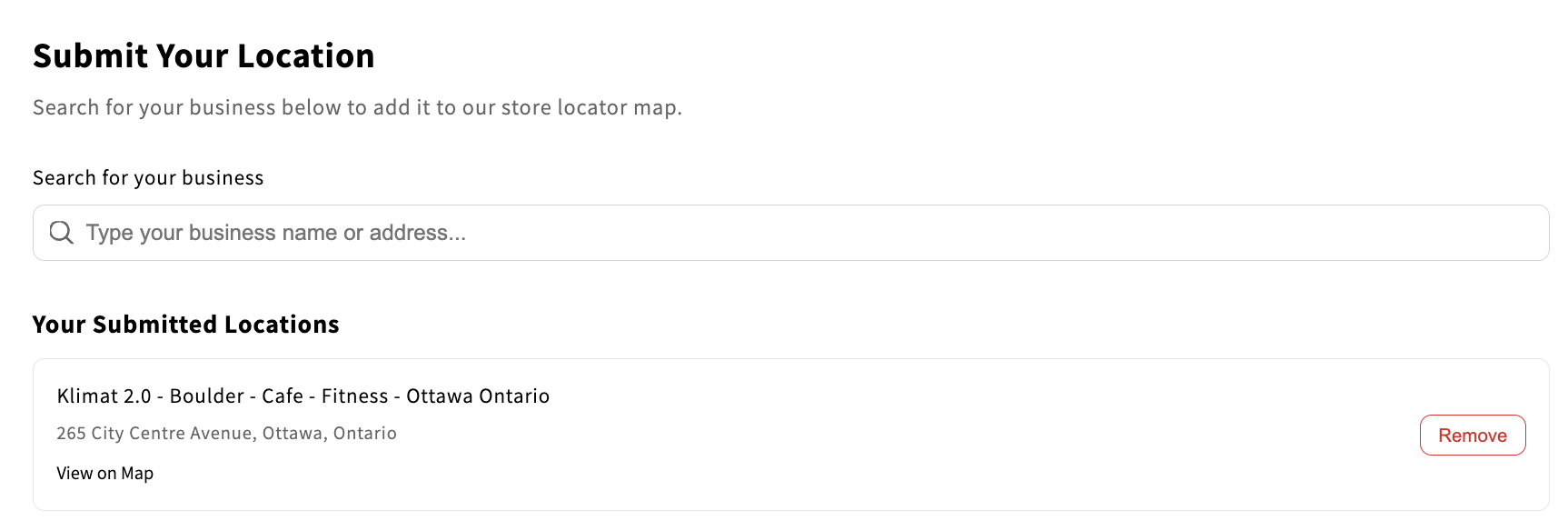
The Your Submitted Locations section displays all locations you have previously submitted. Each card shows:
Business name and address
A View on Map link to see your pin on the live store locator
A Remove button to delete the submission
Adding Multiple Locations#
You can submit more than one location. Each location must be a separate Google Business Profile. There is a limit of 10 submissions per hour.
Removing a Location#
Find the location in the Your Submitted Locations section
Click Remove
Confirm by clicking Yes

Removal is immediate. Your location will be taken off the store locator map right away.
Updating Your Address or Business Name#
You cannot edit a submitted location directly. To update your information:
Update your Google Business Profile with the new address or name
Wait for Google to process the change (this can take a few days)
Remove your old location from the Your Submitted Locations section
Re-submit using the updated Google Business Profile
Troubleshooting#
"I can't find my business in the search results"
Your business may not have a Google Business Profile, or it may not be verified yet. Create or verify your profile at business.google.com. You can also try searching by your exact business name or full street address.
"You have already submitted this location"
This location is already on the map. Check the Your Submitted Locations section to see your existing submissions.
"You can submit a maximum of 10 locations per hour"
You have reached the hourly submission limit. Wait and try again later.
"The Submit Your Location section is not showing up"
Make sure you are logged in to the wholesale portal. If you are logged in and still do not see it, the brand may not have enabled this feature.
"How long until my location appears on the map?"
Your location appears immediately after you click Add to Map. There is no approval step.
"What information is shown on the map?"
The store locator displays your business name, address, phone number, hours, and a directions link — all pulled from your Google Business Profile. Your email address is not shown publicly.
"Can the brand remove my location?"
Yes. The brand has full control over their store locator and can remove any location at any time.
"I submitted the wrong business"
Remove the incorrect submission from the Your Submitted Locations section and re-submit the correct business.
Frequently Asked Questions#
Does it cost anything to be listed? No. Submitting your location is completely free.
Can I submit a home-based business or warehouse? Only locations with a public-facing Google Business Profile can be submitted. If your business does not appear on Google Maps as a place customers can visit, it cannot be added to the store locator.
I have locations in multiple cities. Can I add all of them? Yes. Each location needs its own Google Business Profile. Submit each one separately.
Who can see my email address? Your email is not displayed publicly on the store locator. It is only used internally to track your submissions.
I sell online only. Can I still be listed? The store locator is designed for physical locations that customers can visit. Online-only sellers cannot be added.
Support#
Questions about the brand or its products? Contact the brand directly through their wholesale portal.
Technical issues with the submission tool? Reach out to support@storelocators.com.